
Digital UW Photography Podcast: # 0012
"Apple's Aperture with Randy Ubillos"
 |
to
download the podcast control click or right click the flag |
 |
 |
 |
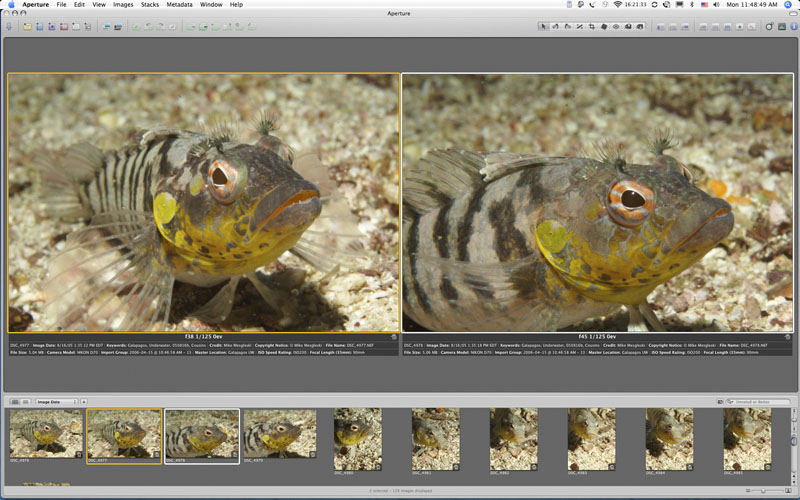 |
Aperture Compare Feature |
Aperture lets you choose a compare image. You can then compare other
images to it images side by side until you specify another image as the
compare image. |
Aperture |
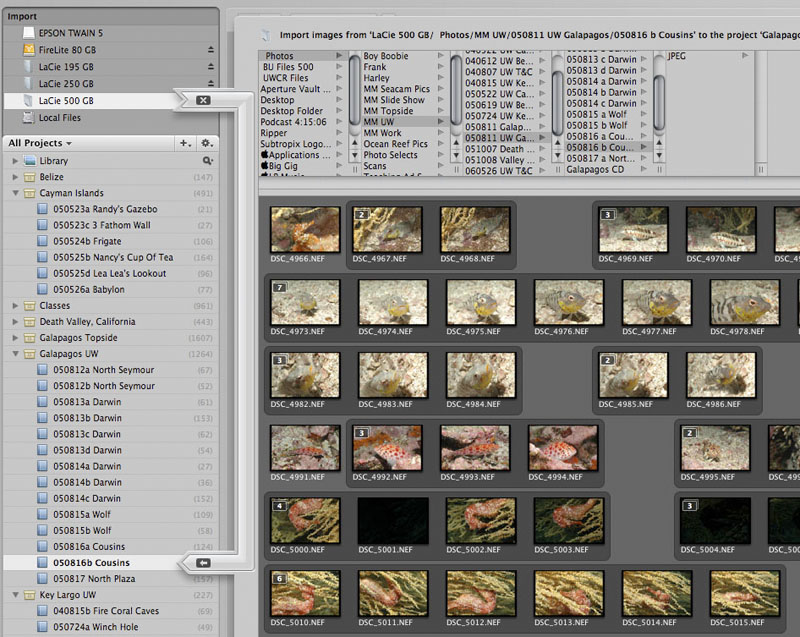 |
Aperture Import from Folder Path |
Aperture’s
import window, clearly showing what is being imported and to where. |
Aperture |
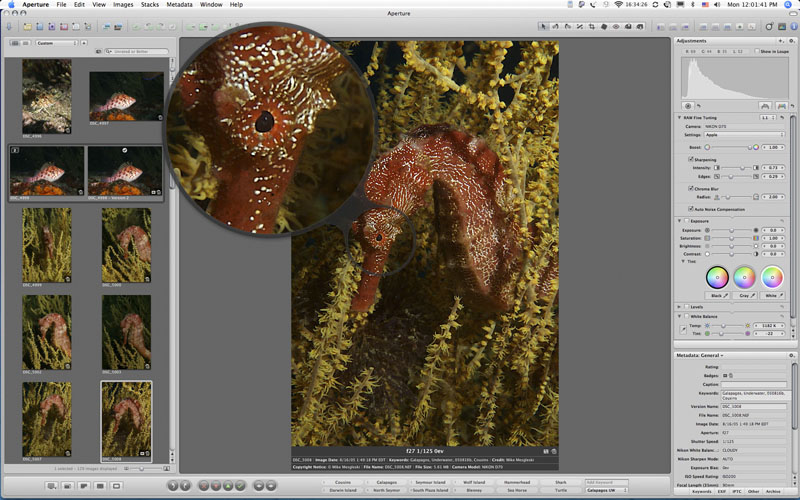 |
Aperture Loupe Tool |
Aperture’s Loupe Tool lets you zoom in on portions of an image
similar to an optical loupe. It doesn’t matter what the image
size is that you are zooming in on, it could be a full screen display
or a
tiny thumbnail, the Loupe Tool will show you the portion it is zeroed
in on at 100%. |
Aperture |
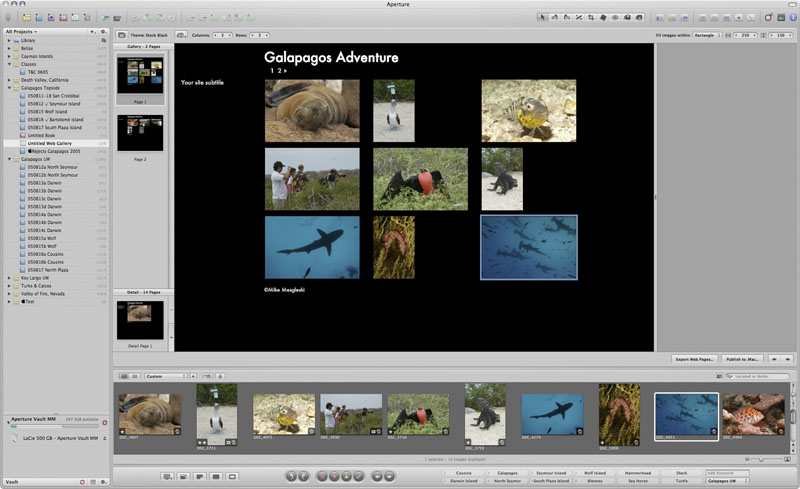 |
Aperture Web Gallery |
Create
your own web gallery using Aperture. Select your images, position
them as you want them, add your
copy and post them to
the web. It’s that simple. |
Back to UW Digital Podcast Table of Contents Page